
Your PM Fuel Relief registration is tied to a mobile SIM registered in your own name, together with your identity card, and messages to 9771 are the way the scheme checks that link. That is why changing your SIM, losing your phone, or replacing a damaged SIM can feel worrying, even though the fix is usually simple. This guide explains what to do step by step when your number changes, how to re-check your registration, and the safety rules that protect your token and personal details.
| Situation | What to do first |
|---|---|
| New SIM in your name | Use it for 9771 messages, then re-check registration |
| Lost phone | Block the SIM at once, then get a replacement |
| Damaged SIM | Get a replacement SIM on the same number |
| SIM not in your name | Register a SIM in your own name before trying |
| Registration check | Send the 9771 message and wait for the reply |
Why Your SIM Matters So Much
The SIM is not just a contact number; it is part of how the scheme confirms who you are.
- Own-name rule: Registration requires a SIM registered against your own identity card, so the record and the sender must match.
- SMS is the channel: Registration and token messages go through 9771 by SMS, so a working SIM in your name is essential.
- A family member’s SIM fails: A message sent from a parent’s, spouse’s, or sibling’s SIM does not match your record, even if the other details are right.
If You Get a New SIM
A new SIM is not a problem, provided it is properly in your name and you re-check your record.
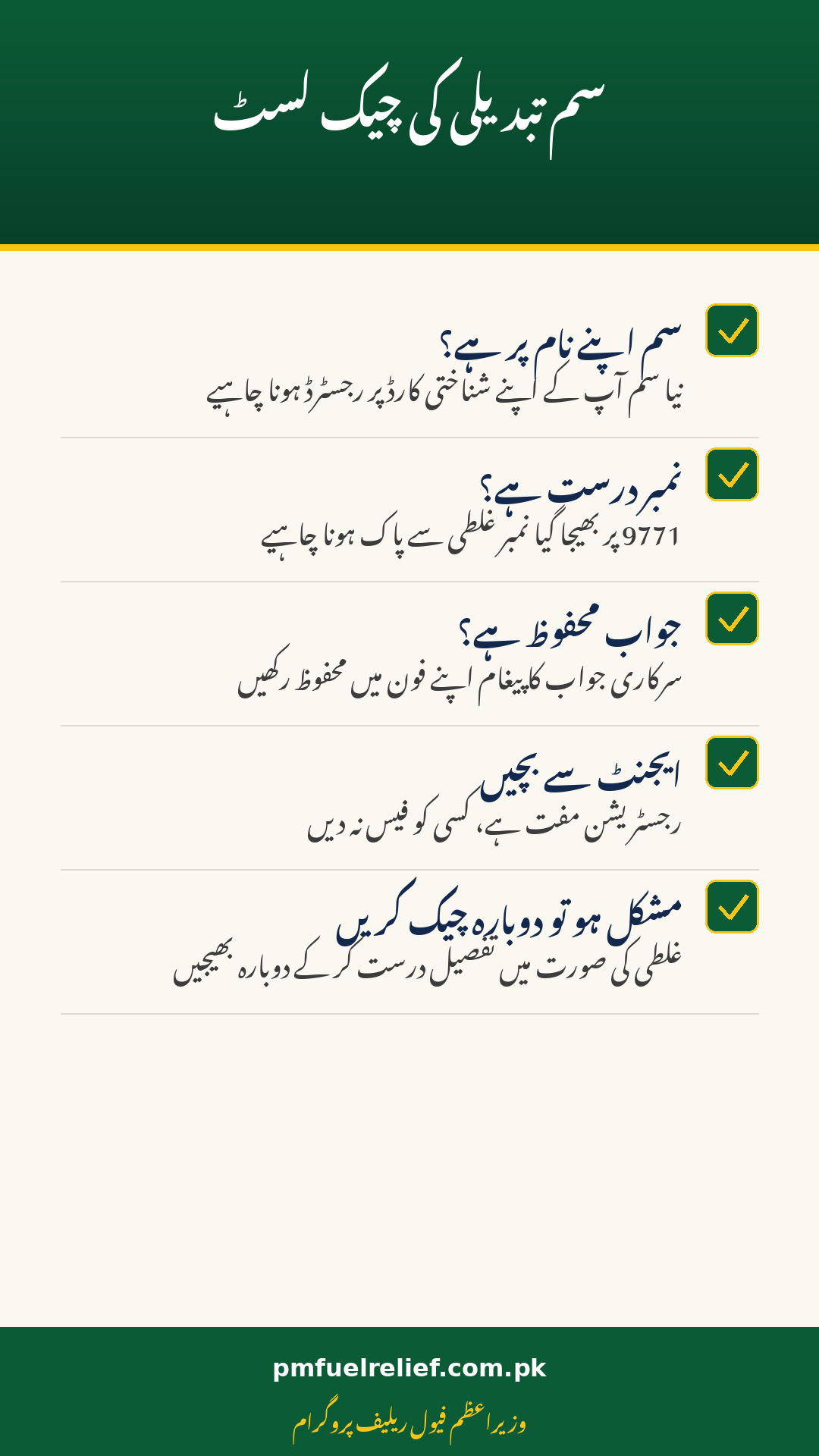
- Register it in your name: When you buy a new SIM, make sure it is registered against your own identity card at the point of sale.
- Re-check through 9771: Send the registration message from the new SIM and wait for the official reply before taking a token.
- Use the same identity card: Your identity card number stays the same, so the system can link the new SIM to your existing record.

If Your Phone Is Lost or Stolen
Act quickly, because a lost phone means someone else holds a SIM linked to your name.
- Block the SIM at once: Contact your mobile operator immediately and ask them to block the lost SIM, so it cannot be misused.
- Get a replacement SIM: Ask for a replacement SIM on the same number, registered in your own name, from the operator’s outlet.
- Do not share your token: If a token message was on the lost phone, never share its details with anyone who claims they can recover it.
- Re-check before the next token: Once the replacement SIM is active, re-check your registration through 9771 before your next pump visit.
If Your SIM Is Damaged or Stops Working
A damaged SIM is usually the easiest case to fix, because your number itself has not changed.
- Replace, do not buy new: Ask your operator for a replacement SIM on the same number, which keeps your registration link intact.
- Bring your identity card: Take your valid identity card to the outlet, since a replacement SIM is issued against it.
- Test the new SIM: Once active, send a test message through 9771 and confirm you receive the expected reply.
Mistakes That Block a SIM Change
Most failed SIM changes come from one small mismatch, and each one is easy to avoid.
- SIM in another name: A SIM registered to someone else will not match your record, no matter how correct the other details are.
- Wrong number typed: A single wrong digit in the 9771 message can reject the whole check, so read it before sending.
- Skipping the reply: Taking a token before the official reply arrives risks a wasted visit, so always wait for confirmation.
- Paying an agent: Registration and SIM checks are free, and anyone charging a fee for a SIM change is not acting officially.
Keeping Your Registration Safe After a Change
Once the new SIM works, a few habits keep your registration safe for the months ahead.
- Never share your token: Your token and identity card number are personal, and no official process asks you to share them with strangers.
- Keep messages saved: Save the official reply and token messages, since they settle most disputes at the pump.
| After a SIM change | Check this |
|---|---|
| SIM | Registered in your own name, active |
| 9771 reply | Official reply received and saved |
| Token | Fresh token taken after confirmation |
| Old SIM | Blocked if the phone was lost |
| Personal details | Token and CNIC never shared |
Conclusion
A SIM change does not have to end your fuel relief, but it does need to be done in the right order. Get the new SIM in your own name, block a lost SIM at once, re-check your registration through 9771, and wait for the official reply before taking a token. Never pay an agent for this, and never share your token or identity card number with anyone. Registration remains free and tied to your own-name SIM, so any paid shortcut is a warning sign, not a service.
FAQs
Can I register with a SIM in my brother’s name?
No, the SIM must be registered in your own name, because the system matches it against your identity card.
My phone was lost. What do I do first?
Block the SIM through your operator at once, then get a replacement SIM in your own name and re-check through 9771.
Do I need a new registration after a SIM change?
You need to re-check your registration from the new SIM and wait for the official reply, using the same identity card details.
Should I pay someone to fix my SIM registration?
No, registration and checks are free, and any fee demand is a sign of a scam.